Log Analysis
Log Analysis lets the AI Assistant work from centralized logs so it can help with incident investigation, auditing, and correlation with metrics or infrastructure state.
On Step 2: Capability Configuration, enable Log Analysis. The capability is described as collecting and centralizing logs from resources for analysis and auditing.
Capabilities
- Error Pattern Detection — Surfaces recurring errors, stack traces, or log patterns across resources.
- Log Anomaly Detection — Highlights unusual volume spikes or rare messages when baselines exist.
- Incident Investigation — Focuses the investigation on relevant time windows, suggests related services, and proposes next steps.
- Root Cause Insights — Connects log evidence with configuration or resource state when other capabilities are enabled.
IBM Cloud Logs
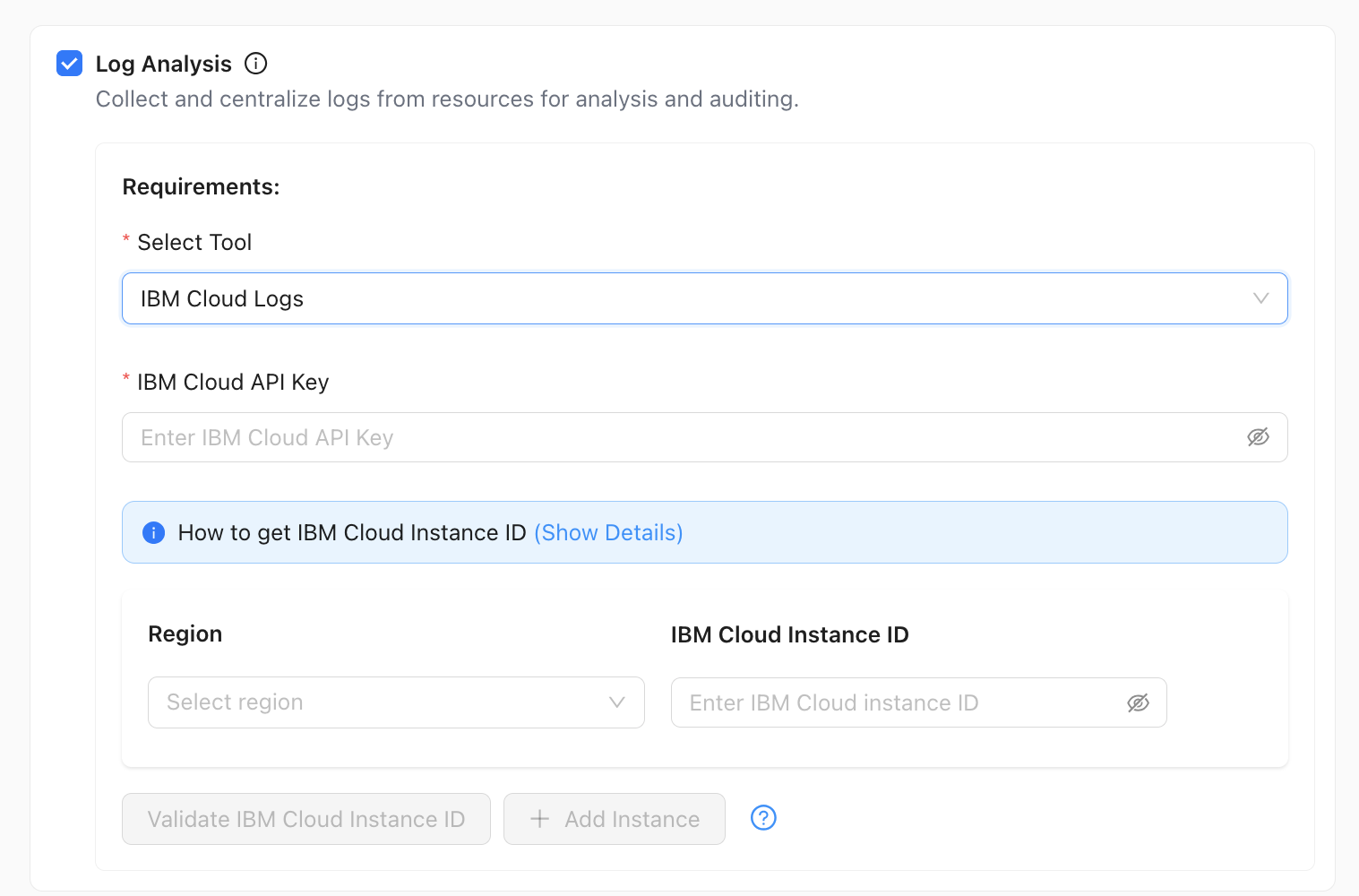
When your assistant targets IBM VPC (or IBM Cloud–scoped environments), you can connect IBM Cloud Logs directly from the Log Analysis capability block.
What You Configure
- Select Tool (required) — Choose IBM Cloud Logs from the dropdown.
- IBM Cloud API key (required) — Enter the API key used to authenticate to IBM Cloud for log access.
- How to Get IBM Cloud Instance ID — Open Show Details on the blue info banner for guidance on finding the instance ID in the IBM Cloud console.
- Region and IBM Cloud Instance ID — Logging is tied to specific instances in specific regions. For each logging instance you configure:
- Select the Region where that instance runs.
- Enter the IBM Cloud Instance ID for that region’s log instance (field also supports show/hide).
- Validate IBM Cloud Instance ID — Verifies the currently selected region, instance ID, and API key context. Complete the required fields for that instance before validating.
- + Add Instance — Adds another Region and IBM Cloud Instance ID pairing so you can register additional logging instances. Use this when logs span multiple regions or multiple logging instances so one assistant can analyze logs from each instance you register.
Validate Each Instance You Rely On
Validate every region and instance ID you configure. A wrong instance ID or region—relative to your API key—can prevent the assistant from retrieving logs for that scope.
Related Topics
- Resource Monitoring — Metrics alongside logs.
- Intelligent Troubleshooting — SSH and diagnostics when logs point to a host.
- AI Assistant Overview