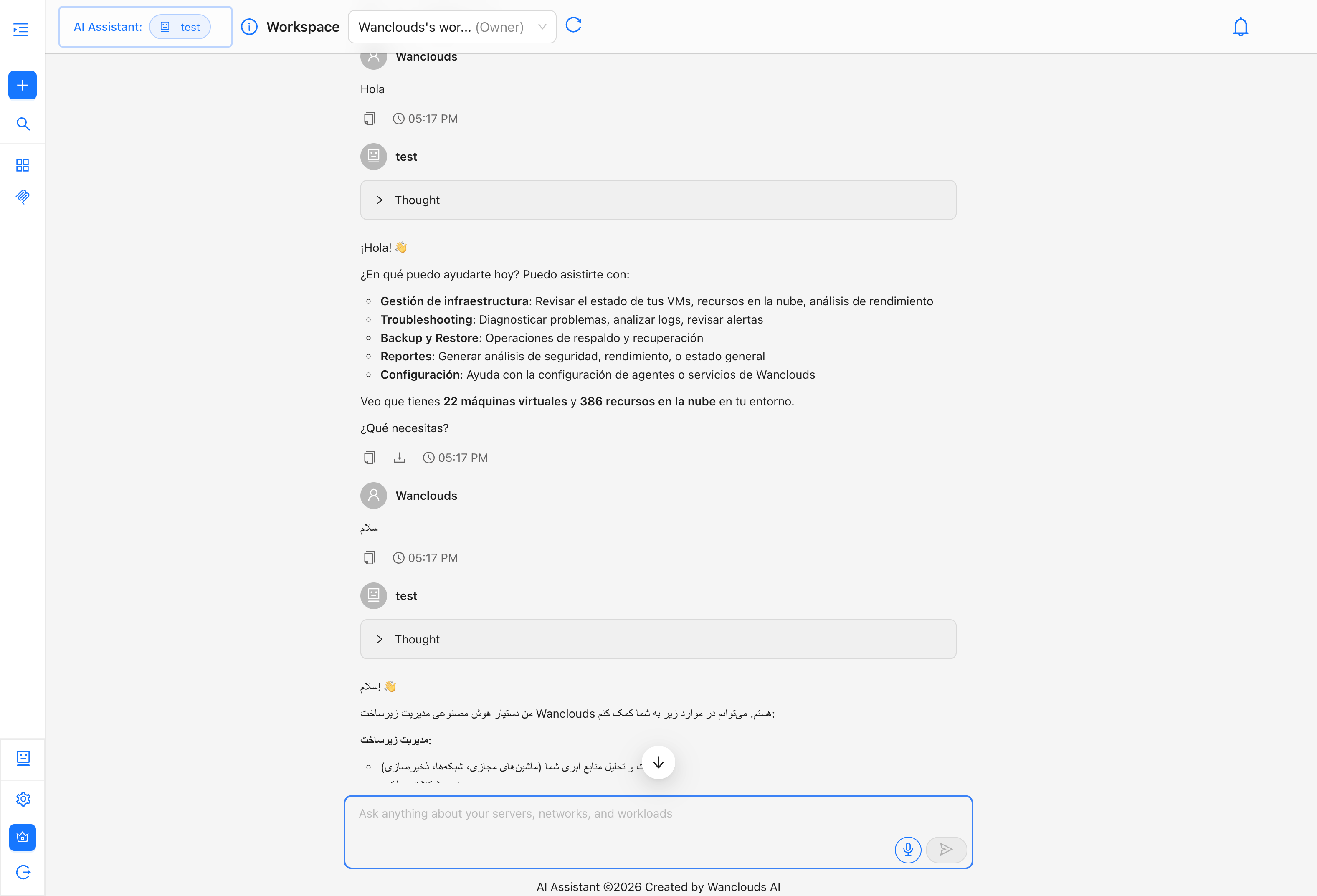
Language Settings
The Language setting controls the display language of the Wanclouds AI interface — menus, labels, tooltips, and system messages. It does not affect how the AI assistant responds.
Supported Languages
- English (Default)
- Arabic
- Japanese
- Spanish
- Portuguese
Changing the UI Language
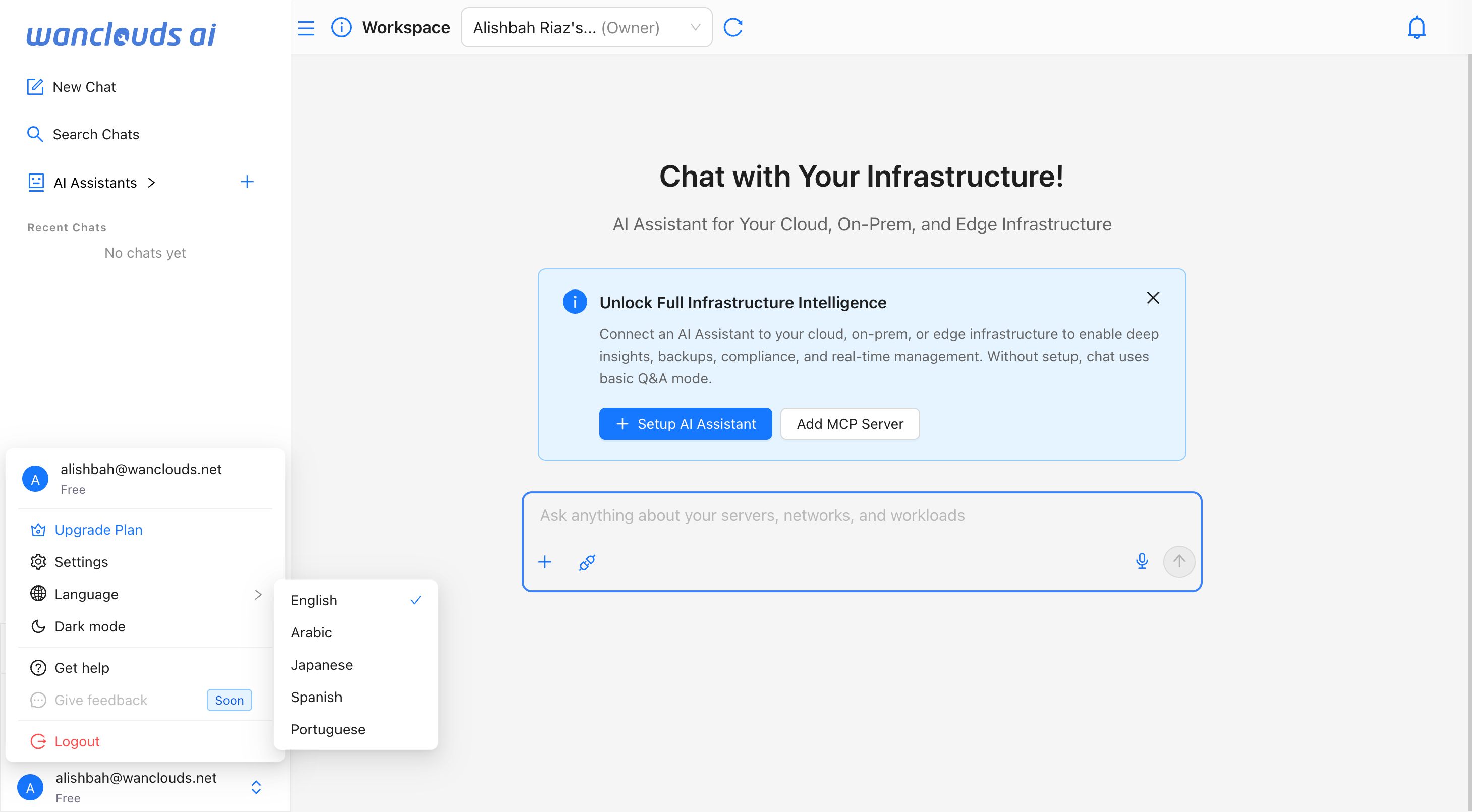
Quick Language Switch
- Open the sidebar menu by clicking the username at the bottom of the sidebar.
- Hover or click over the language option to see the dropdown of all the supported languages
- Select the desired language.
- The UI will update imediately reflecting the selected language.
Alternative Method Via Settings
To change the interface language:
- Navigate to [Settings → General] in the sidebar or directly go to
/settings/general. - Click the language dropdown (default: English).
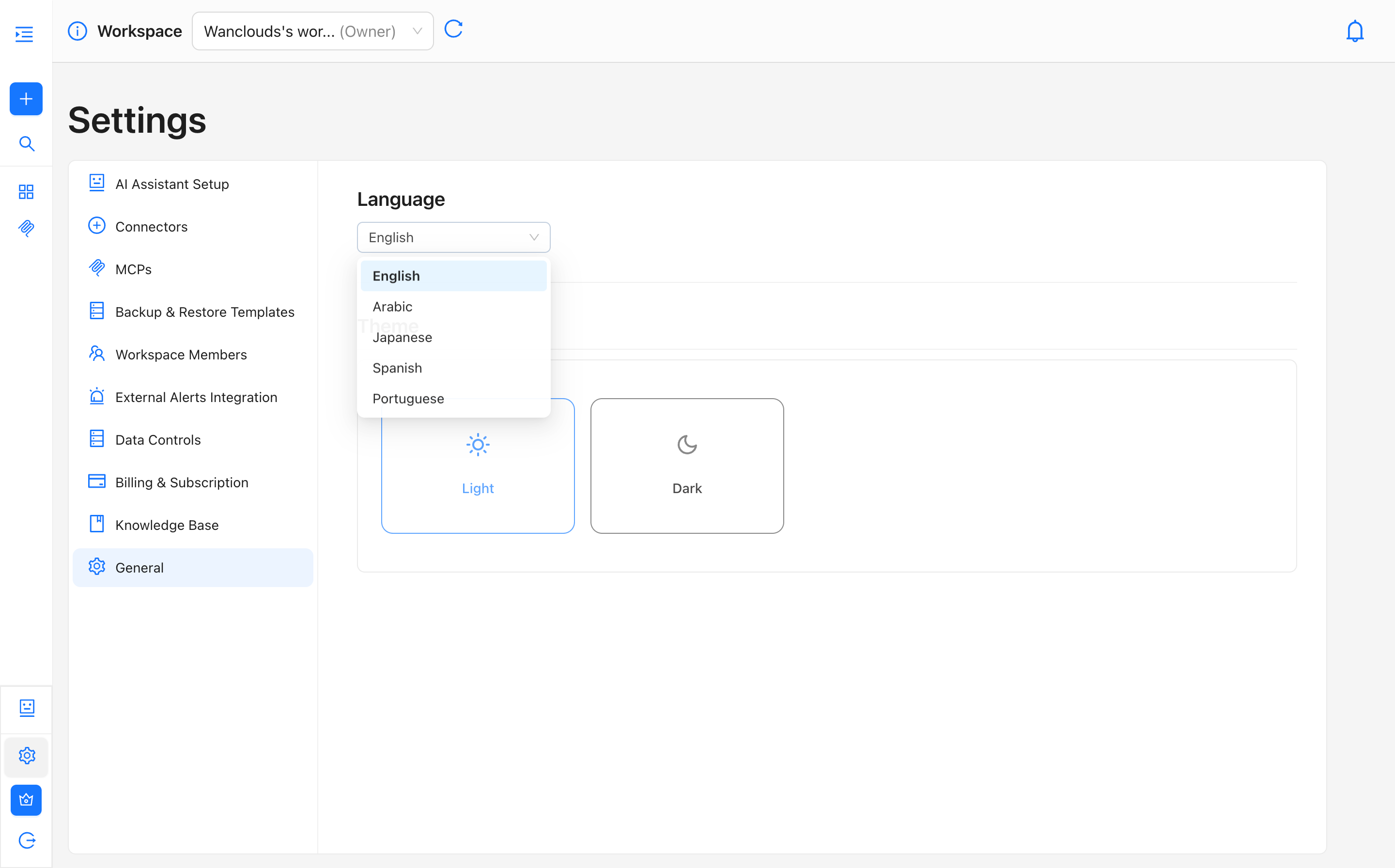
- Select your preferred language from the dropdown.
- The interface updates immediately, no page reload is required.
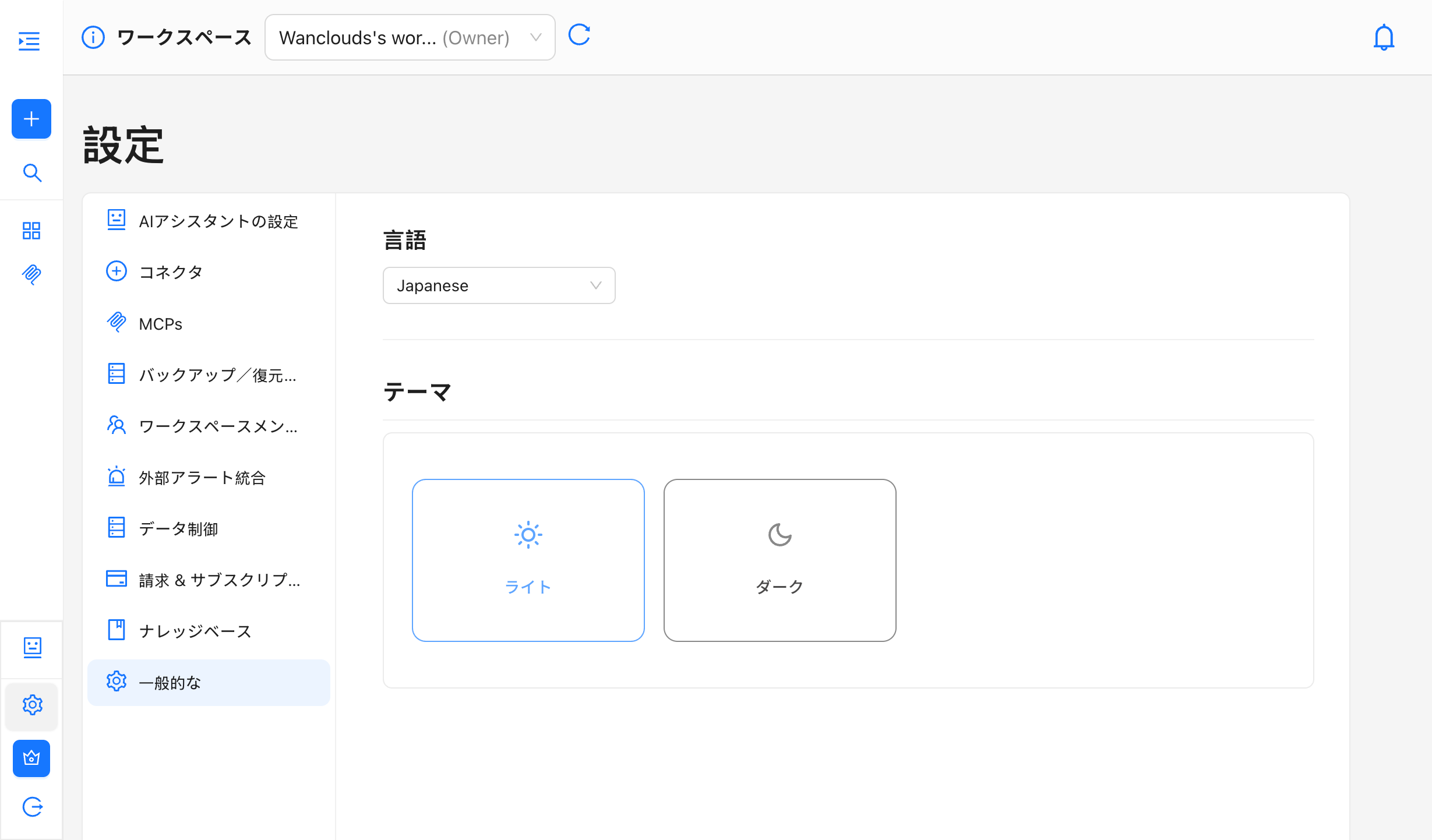
info
The Language setting only applies to the application interface. It does not change the language the AI assistant responds in.
AI Assistant Language Behavior
The AI assistant automatically responds in the language of your prompt, regardless of the UI language selected in Settings.
For example:
- If your UI language is set to Spanish but you send a message in Arabic, the assistant will respond in Arabic.
- If you send a message in English, the assistant responds in English — even if the UI is set to another language.
This behavior is automatic and cannot be changed from Settings. There is no configuration required.