Billing & Subscription Dashboard
The Billing & Subscription section provides full transparency into your plan, credit usage, payment history, and available upgrades — all from a single, unified dashboard.
To access it, navigate to Settings → Billing & Subscription in the sidebar, or go directly to /settings/billing/overview.
Overview Tab
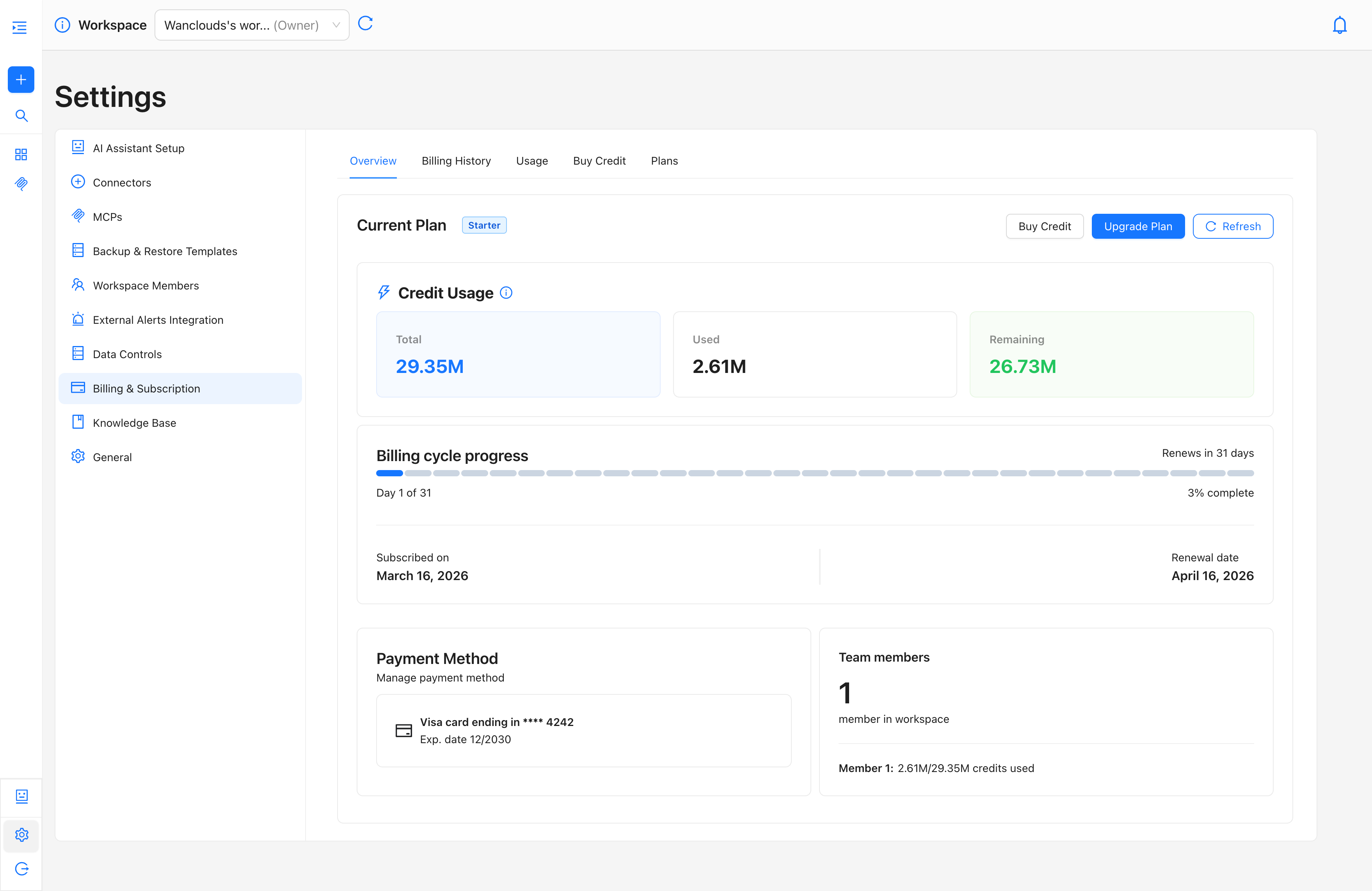
The Overview tab is the primary dashboard for your subscription and credit status. It surfaces the most critical billing information at a glance.
Current Plan & Quick Actions
At the top of the Overview, your active plan is displayed alongside three action buttons:
- Buy Credit — Navigate directly to the credit purchase flow.
- Upgrade Plan — Explore higher-tier plans with expanded credit allocations.
- Refresh — Reload the page to pull the latest credit balance in real time.
Credit Usage Summary
The Credit Usage panel displays three key metrics for the current billing cycle:
- Total Credits — The total credits allocated to your account.
- Used Credits — Credits consumed so far in the current billing cycle.
- Remaining Credits — Credits still available for use.
Billing Cycle Progress
A visual progress bar indicates where you currently stand within your active billing cycle. This includes:
- Current day within the cycle (e.g., Day 13 of 31) and percentage completion (e.g., 42% complete).
- Renewal countdown (e.g., Renews in 19 days).
- Subscription start date and upcoming renewal date.
Payment Method & Team Members
The lower section of the Overview displays your saved payment method and the number of active team members on the account, providing quick context for multi-seat plans.
Billing History Tab
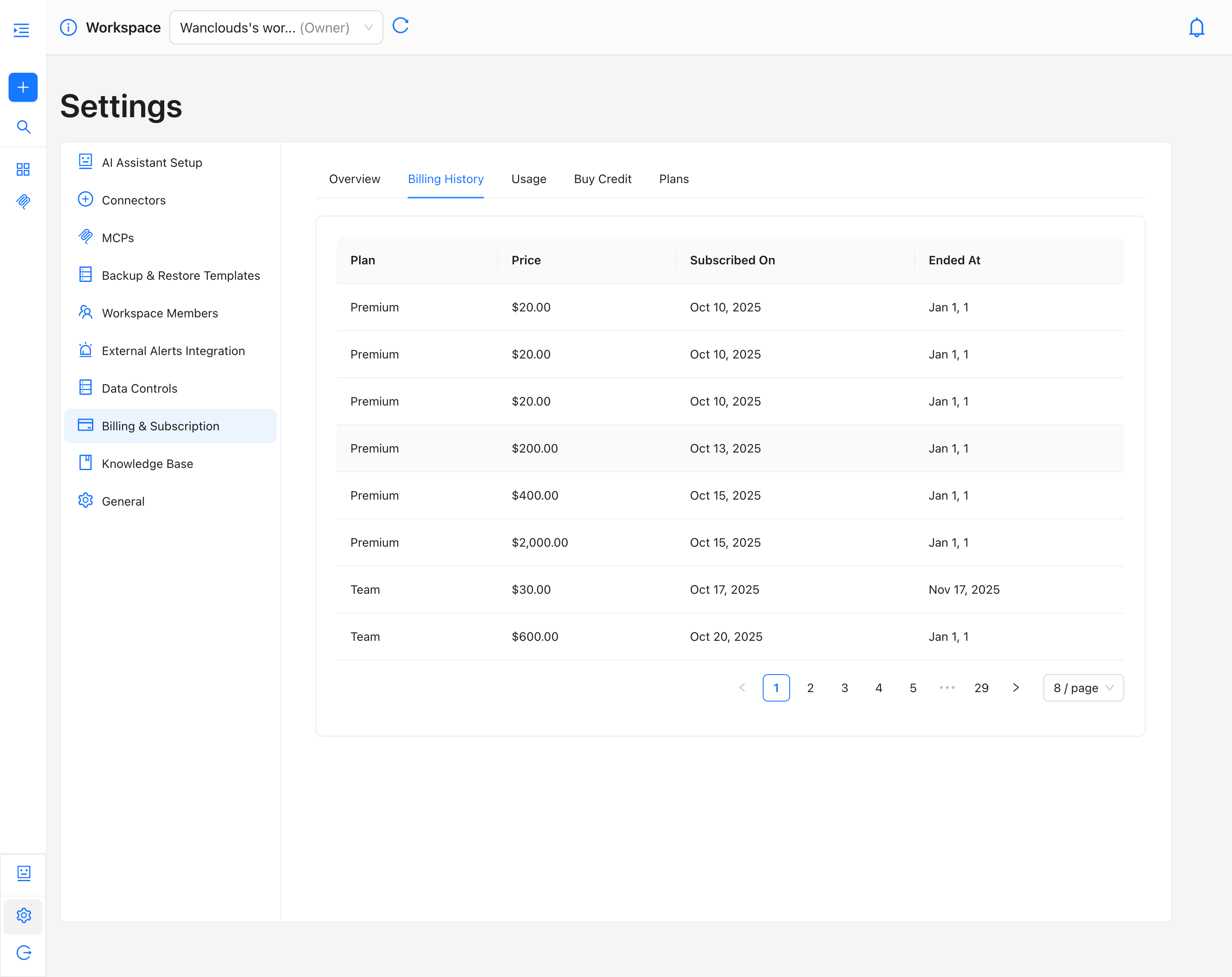
The Billing History tab provides a complete, paginated record of all past transactions associated with your account. Each entry in the table represents a charge or subscription event and includes the following columns:
- Plan — The subscription plan active at the time of the transaction (e.g., Free, Starter, Premium).
- Price — The amount charged for that transaction.
- Subscribed On — The date the subscription or credit purchase was initiated.
- Ended At — The date the subscription period ended, if applicable.
You can page through your full transaction history using the pagination controls at the bottom of the table. The number of records displayed per page is configurable (default: 8 per page).
Usage Tab
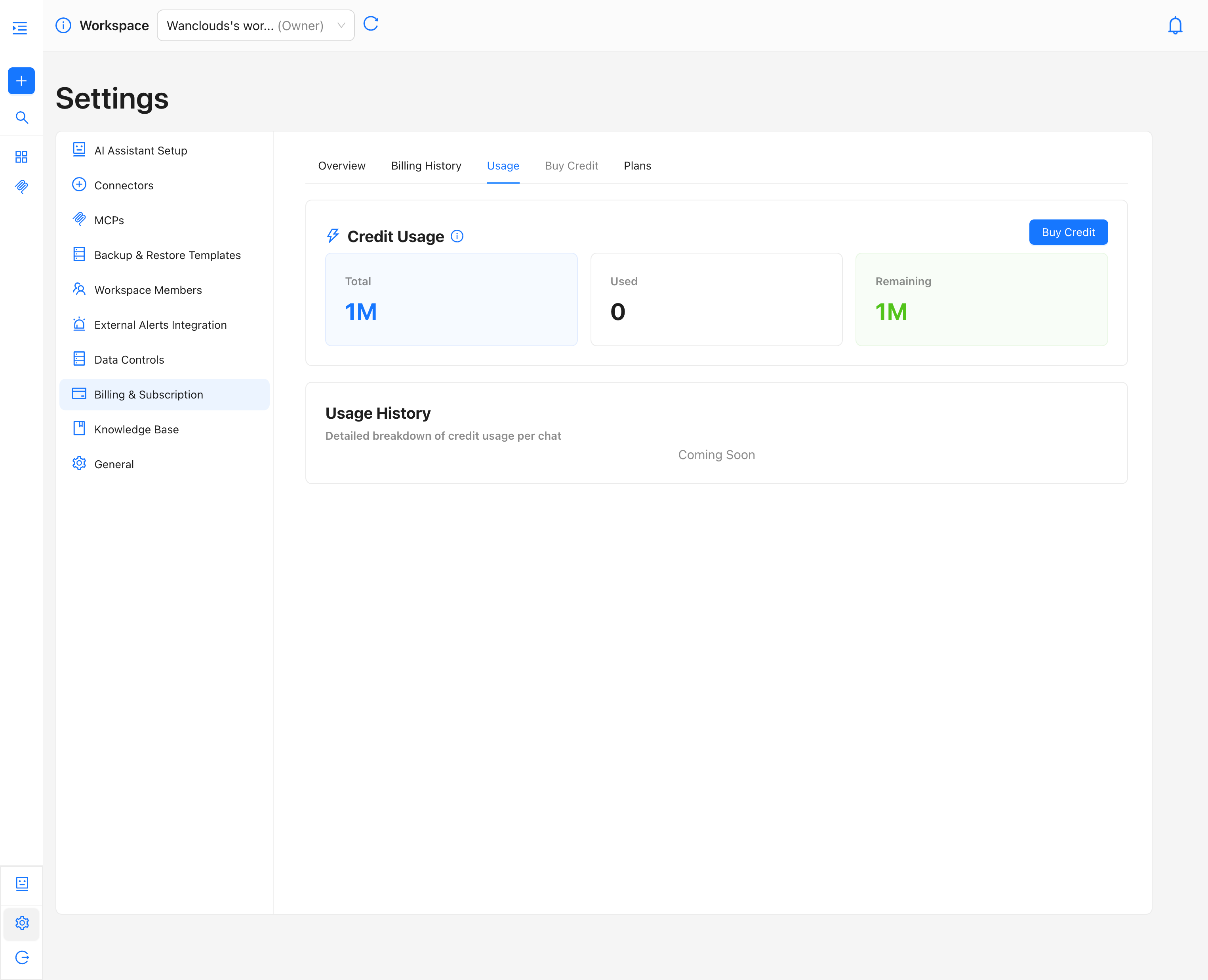
The Usage tab provides a dedicated view of credit consumption, separated from broader subscription details for clarity.
- Credit Summary — displays Total, Used, and Remaining credits alongside a Buy Credits button for immediate top-ups without leaving the tab.
- Usage History — a per-chat breakdown of credit consumption. (Coming Soon)
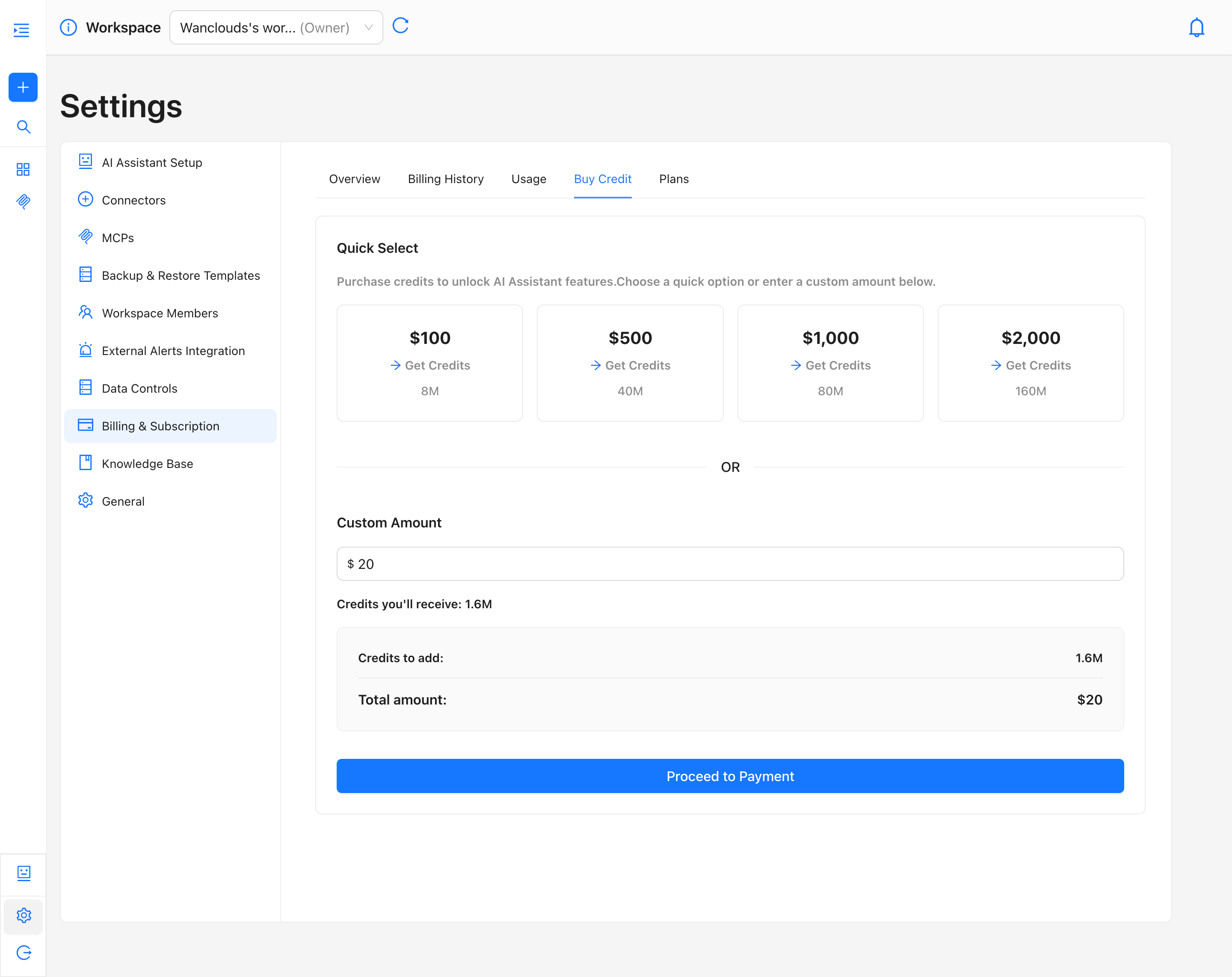
Buy Credit Tab
The Buy Credit tab lets you add credits to your balance at any time, regardless of your billing cycle. However, any credits you top up are still tied to your current billing period and will expire at the end of that cycle if unused. For a step-by-step guide, see Buy Credits.
Plans Tab
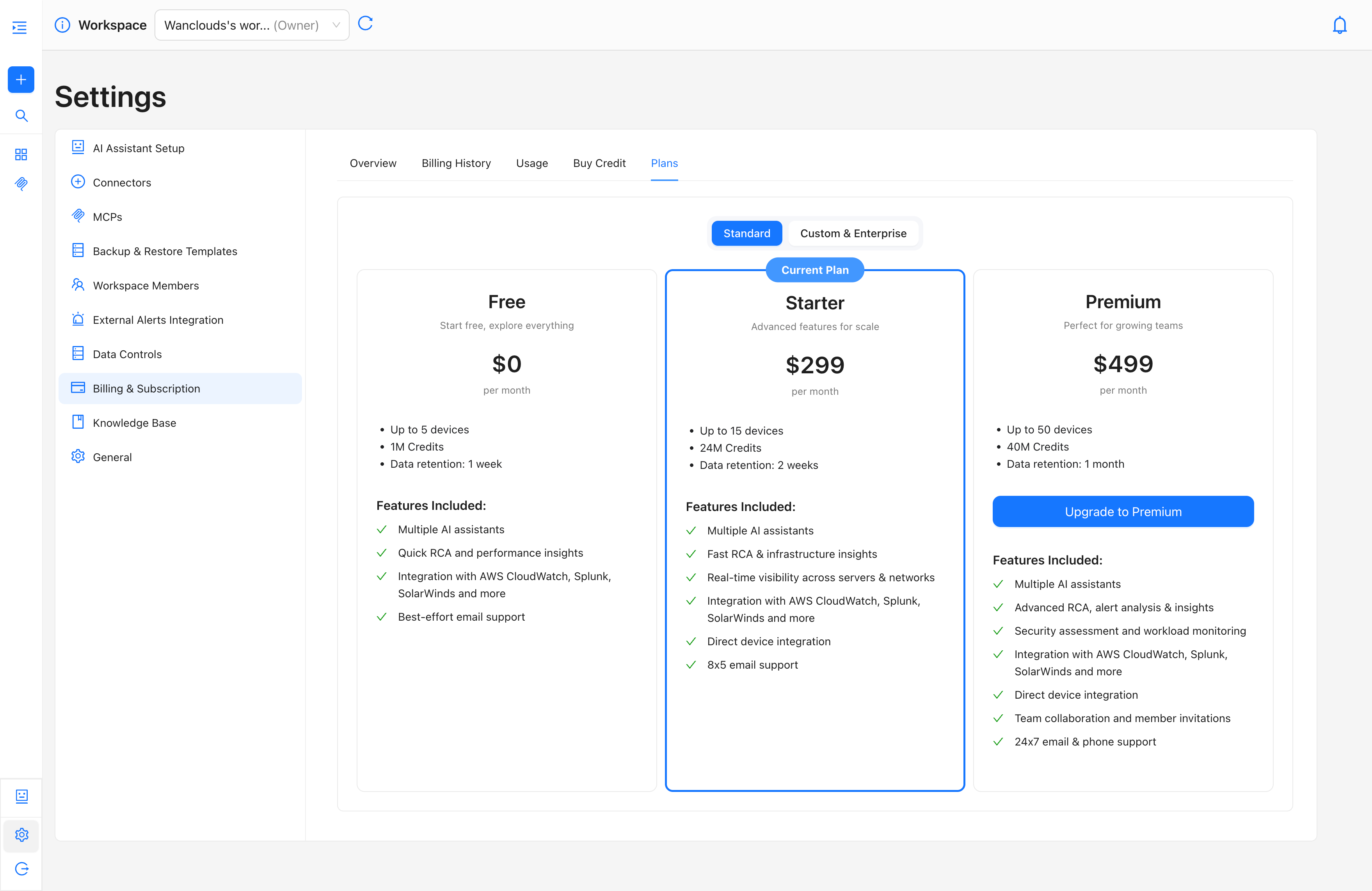
The Plans tab allows you to view all available subscription tiers and upgrade or switch your plan directly from within the application. Plans are grouped into two categories, toggled at the top of the page:
- Standard — Self-serve plans suitable for individuals, small teams, and growing organizations.
- Custom — Tailored plans for large-scale or compliance-heavy deployments. Contact sales for pricing.
Your currently active plan is highlighted with a Current Plan badge.