AI Assistant Overview
The AI Assistant in Wanclouds AI lets you connect infrastructure environments and turn on intelligent capabilities so you can monitor, manage, troubleshoot, and automate operations across cloud, on-premise, and hybrid setups.
This guide explains how assistants are created, how connectors tie them to real infrastructure, and how capabilities control what the assistant is allowed to do. For hands-on steps, see Create Your First AI Assistant and Environment Onboarding.
What Each AI Assistant Is Configured With
Every assistant is defined by:
- Connected Environments (Connectors) — where Wanclouds AI reaches your infrastructure (cloud accounts, on-prem systems, devices, clusters).
- Operational Capabilities — which actions are enabled (for example troubleshooting, monitoring, backup, log analysis, Kubernetes operations).
- Infrastructure Resources and Tools — after connection, you refine which monitoring tools, credentials, VMs, clusters, or policies apply.
Together, these settings scope what the assistant can see in chat and which automated or guided operations are available.
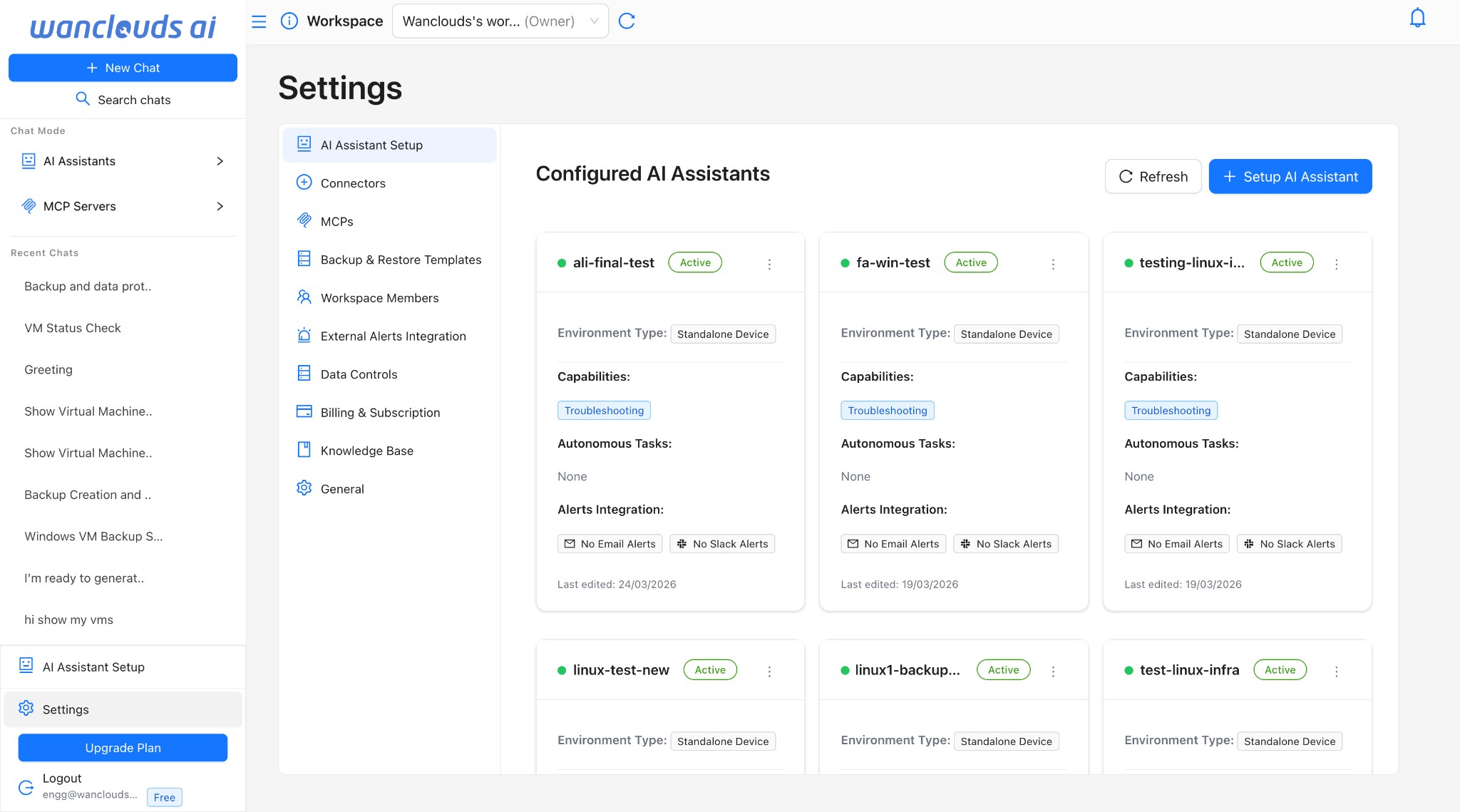
Open Settings → AI Assistant Setup to see Configured AI Assistants. From here you can Refresh the list, open an assistant’s options, or start + Setup AI Assistant to launch the setup wizard.
User Flow: From Assistant to Operations
- Create an AI Assistant — Settings → AI Assistant Setup → + Setup AI Assistant (or add from the chat assistant selector where available).
- Add an Environment — Choose the environment type that matches where this assistant should work.
- Configure a Connector — Select an existing connector or use + Add Connector to register direct access or a proxy-backed connection.
- Validate the Connection — Confirm status shows a healthy connection before continuing.
- Discover Resources — After setup, the platform can enumerate VMs, clusters, devices, or cloud resources according to that connector.
- Enable Capabilities — On Capability Configuration, turn on troubleshooting, monitoring, backup, Kubernetes, etc., and complete each capability’s required tool and resource selections.
- Optional Steps — Configure Autonomous Tasks and Alerts Integration (email, Slack, etc.) when your workflow needs them.
Wizard Steps (Quick Reference)
The AI Assistant Setup Wizard guides you through:
- Environment Selection (required) — Name, description, environment type, connector selection, optional MCPs.
- Knowledge Base (optional) - Upload documents to enhance your AI assistant's knowledge
- Capability Configuration (required) — Enable operational capabilities and connect the right data sources or tools (for example Prometheus, Zabbix, SSH Manager, Kubernetes Service).
- Autonomous Tasks (optional) — Scheduled or policy-driven automation where supported.
- Alerts Integration (optional) — Email, Slack, or other notification channels.
Learn More
- Environment Setup & Connectors — Wizard Step 1: connector choice, optional MCPs, and where to go for full connector setup.
- Intelligent Troubleshooting — SSH-backed diagnosis and remediation.
- Backup, Restore & Migrate — Backup automation and recovery.
- Resource Monitoring — Metrics, health, and monitoring tools.
- Log Analysis — AI-assisted log investigation and patterns.
- Kubernetes Management — Cluster-focused operations.
- Autonomous Tasks — Optional automation layer.
- MCPs — Configure external observability and data sources.