Managing Plans
The Plans tab within Settings → Billing & Subscription gives you a complete view of all available subscription tiers and lets you upgrade or switch your plan directly from within the application.
Upgrading Your Plan
You can upgrade your plan at any time from the Plans tab. Upgrading moves you to a higher-tier plan with a larger credit allocation, more supported devices, and access to additional features.
To upgrade:
- Navigate to Settings → Billing & Subscription → Plans.
- Locate the plan you wish to upgrade to.
- Click the Upgrade to [Plan Name] button.
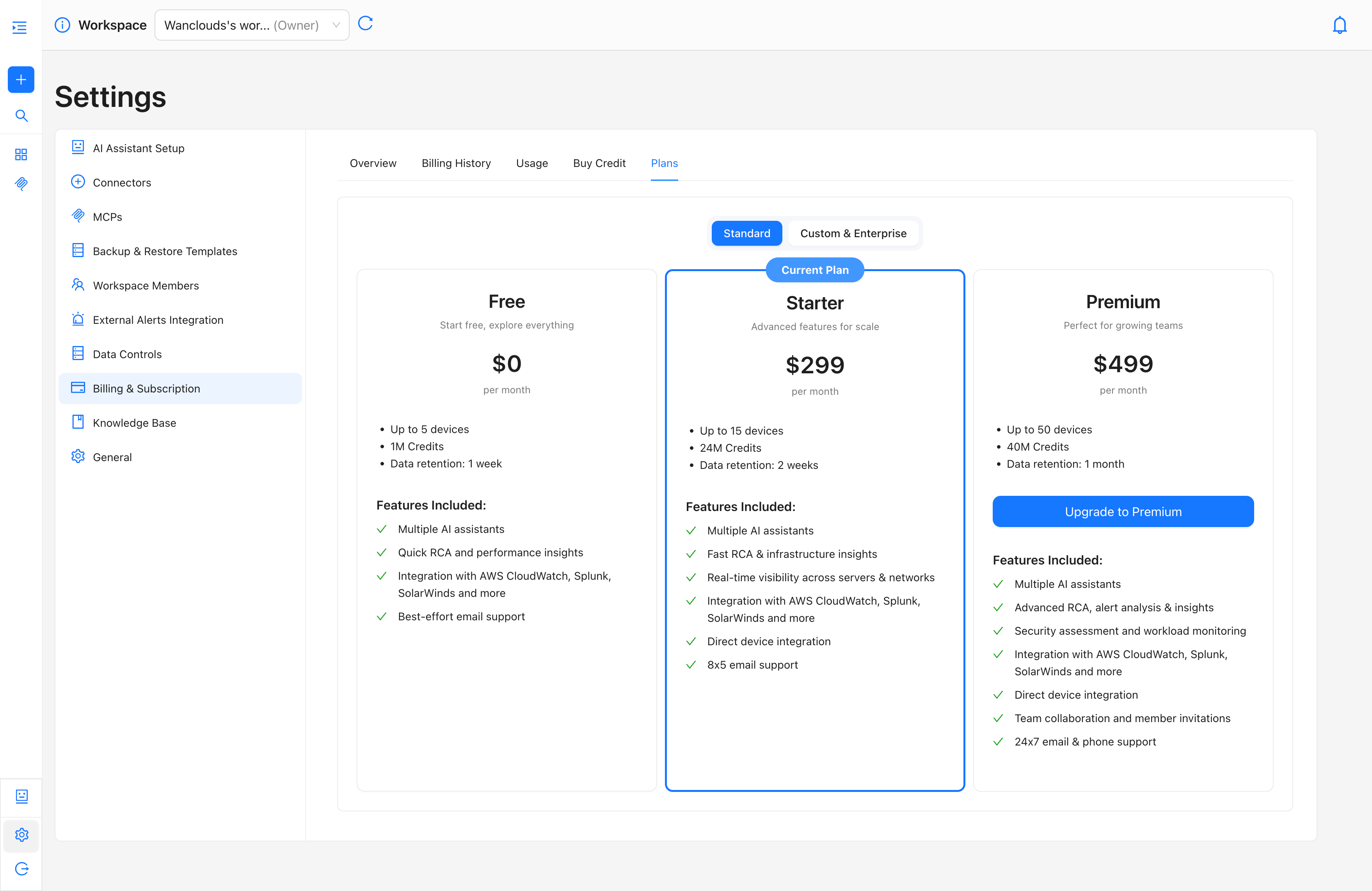
What happens when you upgrade:
- A "Plan Upgraded Successfully" toast notification briefly appears on the right side.
- Your plan switches immediately upon confirmation.
- Your billing cycle resets — a new 30-day cycle starts from the upgrade date, and your next renewal date updates accordingly.
- Your credit balance resets — any unused credits from the previous plan are cleared and replaced with the full credit allocation of the new plan.
- You are charged the full monthly price of the new plan from the upgrade date.
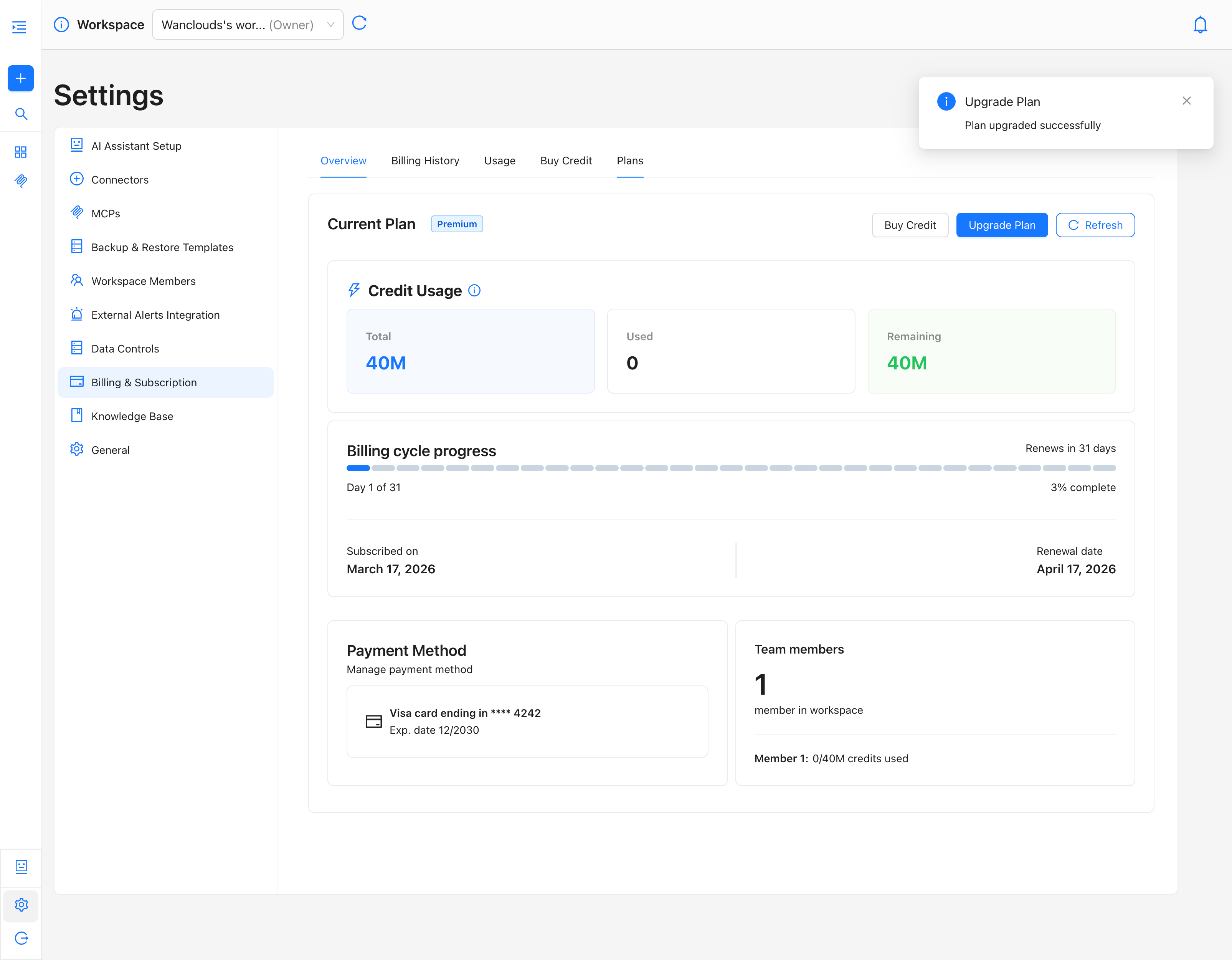
If you upgrade from Starter to Premium on March 16, your billing cycle resets to March 16 – April 16, and your credit balance is immediately refreshed to 40M credits
Downgrading Your Plan
You can switch from a higher-tier paid plan to a lower-tier paid plan (e.g., Premium → Starter) directly from the Plans tab.
To switch:
- Navigate to Settings → Billing & Subscription → Plans.
- Locate the lower-tier plan.
- Click the Switch to [Plan Name] button.
- Confirm the change when prompted.
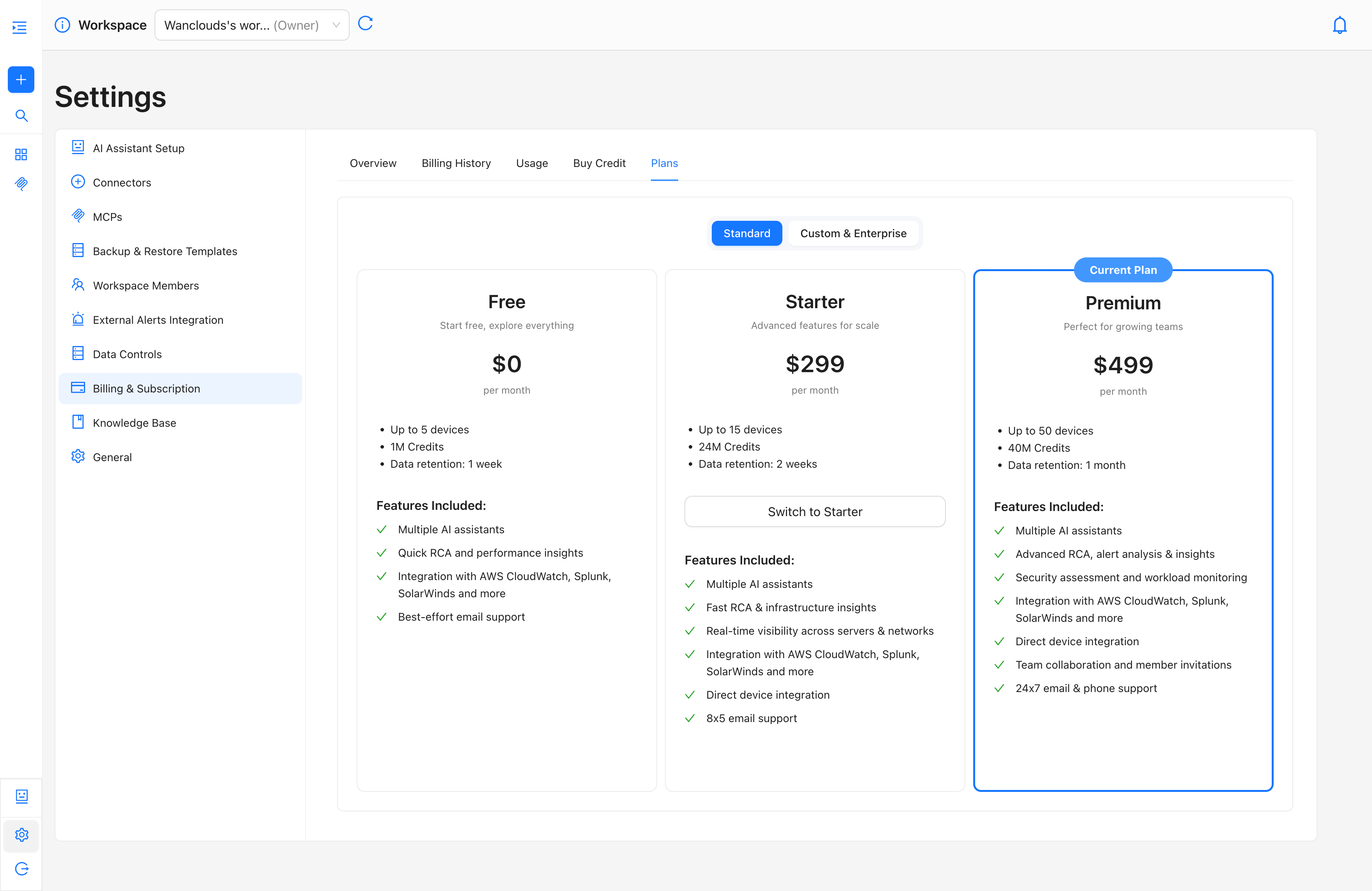
What happens when you switch:
- Your plan switches immediately upon confirmation.
- Your billing cycle resets — a new cycle begins from the switch date.
- Your credit balance resets — existing credits are cleared and replaced with the new plan's credit allocation.
- You are charged the monthly price of the new plan from the switch date.
Plan Change Restrictions
The following restrictions apply to plan changes:
- Downgrading to the Free tier is not permitted once you are on a paid plan (Starter or Premium). The Free plan is only available to new accounts that have not yet subscribed to a paid tier.
- Team collaboration features (member invitations, shared workspaces) are only available on the Premium plan. Switching away from Premium while team members are active may affect their access.
- Data retention is tied to your active plan. Switching to a lower-tier plan with a shorter retention window means older data beyond the new plan's retention period will no longer be accessible.
Billing Cycle & Credit Reset Behavior
Every plan change, whether an upgrade or a downgrade, triggers both a billing cycle reset and a credit balance reset. This applies consistently regardless of how far into your current cycle you are.
| Event | Billing Cycle | Credits |
|---|---|---|
| Upgrade to higher plan | Resets immediately | Resets to new plan's allocation |
| Switch to lower paid plan | Resets immediately | Resets to new plan's allocation |
| Monthly renewal (no change) | Renews on scheduled date | Resets to current plan's allocation |
Plan changes take effect immediately and you are charged the full monthly price of the new plan from that day. There are no partial charges or refunds for unused days on your previous plan.
Custom Plans
For organizations needing a tailored offering based on size, scale, and features — along with flexible data retention, custom credit allocations, private instance deployment, or dedicated SLAs — the Custom tier is available.
To explore Custom plan, click the Custom toggle on the Plans tab and contact the sales team, or visit the Plans & Pricing page for a full feature breakdown.