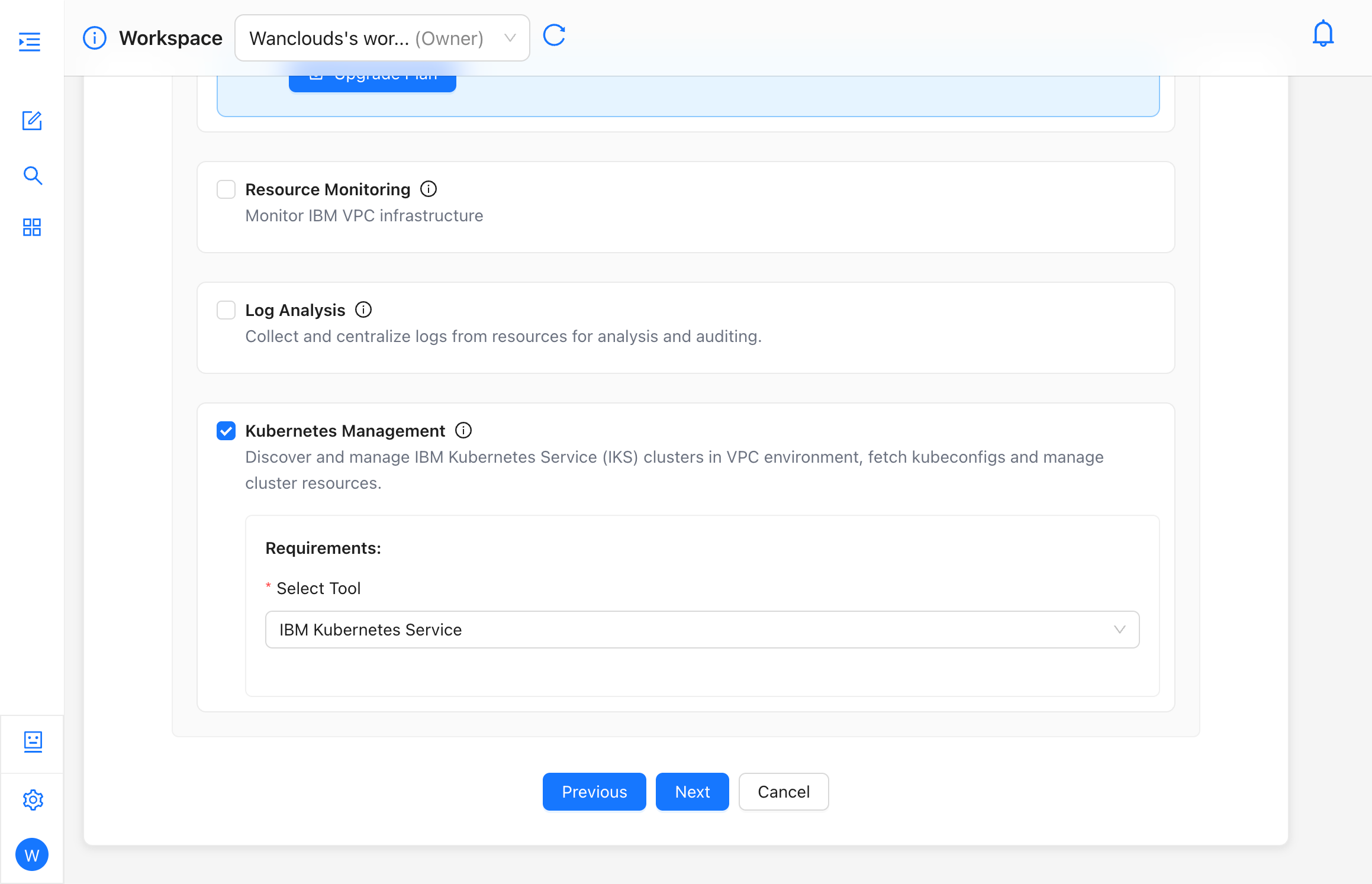
Kubernetes Management
Kubernetes Management allows the AI Assistant to help monitor, inspect, and operate standalone Kubernetes clusters connected through your Wanclouds environment and tooling.
Supported Operations
- Cluster Monitoring — Node and control-plane health, capacity, and key cluster-level signals.
- Pod Diagnostics — Pending pods, crash loops, image pull failures, resource limits.
- Deployment Analysis — Rollout status, replica skew, configuration drift vs desired state.
- Resource Health Monitoring — Workloads, services, and persistent storage health where the integration exposes them.
Exact operations depend on cluster access, RBAC, and the Kubernetes Service (or equivalent) integration configured for your tenant.
Configuration Flow
- Ensure your assistant’s connector can reach the cluster or the management plane your organization uses.
- In Capability Configuration, enable Kubernetes Management.
- Under Requirements, set Select Tool to Kubernetes Service (or the option your admin provides).
- Complete authentication or kubeconfig steps as prompted.
- Optionally enable Resource Monitoring or Intelligent Troubleshooting for correlated metrics and node-level access.