Credits Usage and Limits
Credits are allocated monthly based on your plan and reset automatically at the start of each billing cycle. Users can stay in control of their credit usage with real-time tracking from Wanclouds AI Billing & Subscription tab.
Monthly Credits Allocation
Each plan includes a fixed number of credits that renew every billing cycle.
| Plan | Monthly Price | Monthly Credits |
|---|---|---|
| Free | $0 | 1M credits |
| Starter | $299 | 10M credits |
| Premium | $499 | 20M credits |
| Custom | Contact Sales | Custom |
Credit Limits & How to Handle Them
Credit limits are determined by the user's active subscription plan. Each plan tier comes with a defined monthly credit allocation that resets on the renewal date. Users who exceed their plan allocation before the renewal date have two options:
-
Purchase additional credits via the Buy Credit tab to continue without interruption.For details, see Buy Credits.
-
Upgrade their plan to a higher tier with a larger monthly allocation.
Tip: Monitor the Billing Cycle Progress bar on the Overview tab regularly to anticipate credit exhaustion before the renewal date and avoid any service interruption.
Monitoring Your Credit Usage
Wanclouds AI ensures full transparency in all billing matters by letting the users track their credit consumption in real time.
Wanclouds AI provides a user friendlu interface for monitoring credit usage across the platform. End users can track their credit consumption within the Billing & Subscription tab of the Wanclouds AI application.
Billing & Subscription Tab
Users can monitor their credit information at any time from the Billing & Subscription tab.
To access billing & subscription tab, navigate to Settings → Billing & Subscription in the sidebar, or go directly to /settings/billing/overview
Overview
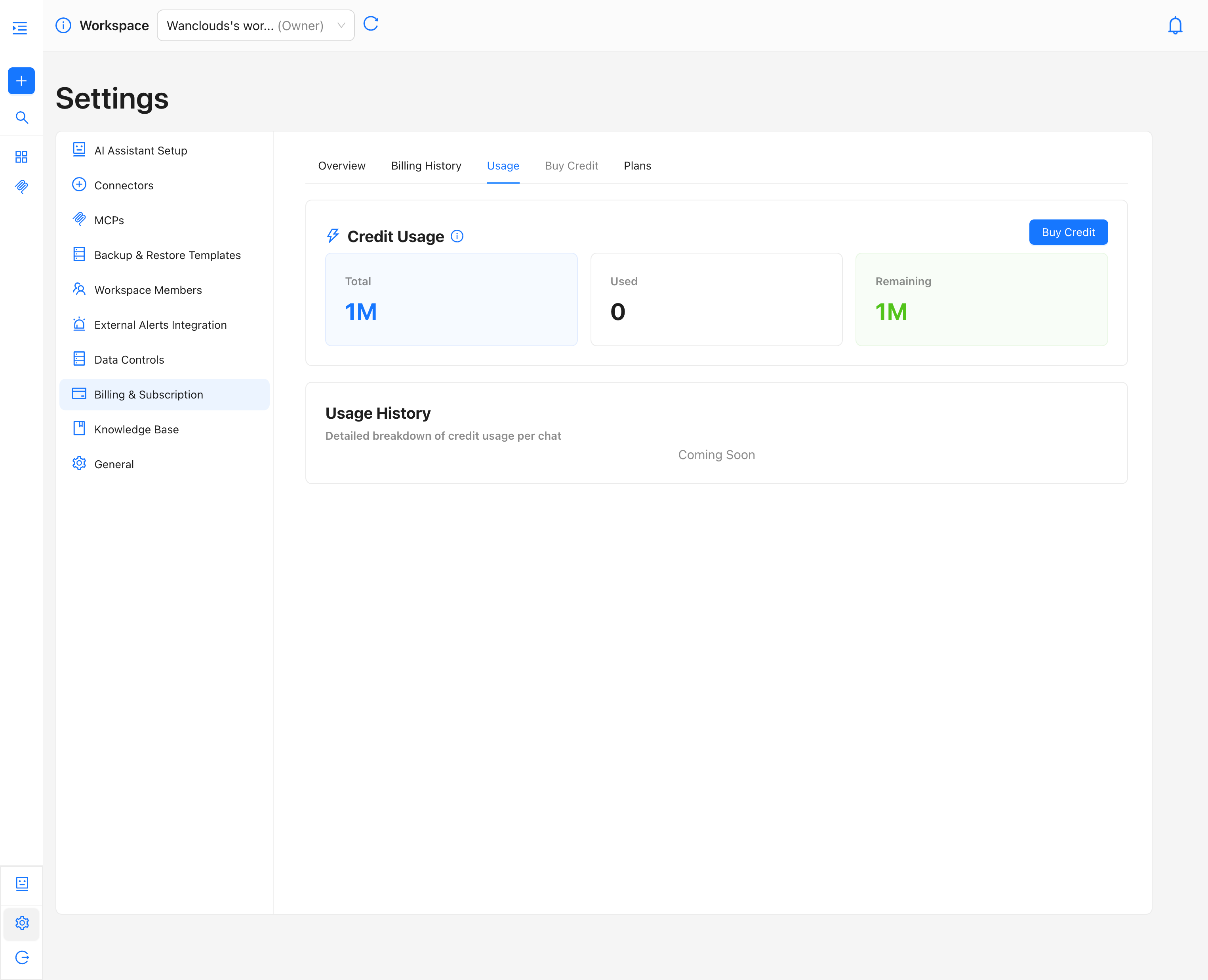
The Overview tab serves as the primary dashboard for a user's subscription and credit status. It shows users their Credit Usage Summary
It displays three key metrics for the current billing cycle:
- Total Credits: The total credits currently allocated to the user.
- Used Credits: Credits consumed so far in the current billing cycle
- Remaining Credits: Credits still available for use
All metrics reflect usage within the current billing cycle only. At the start of each new billing cycle, credit usage counters reset and begin tracking consumption for the new period.
Usage
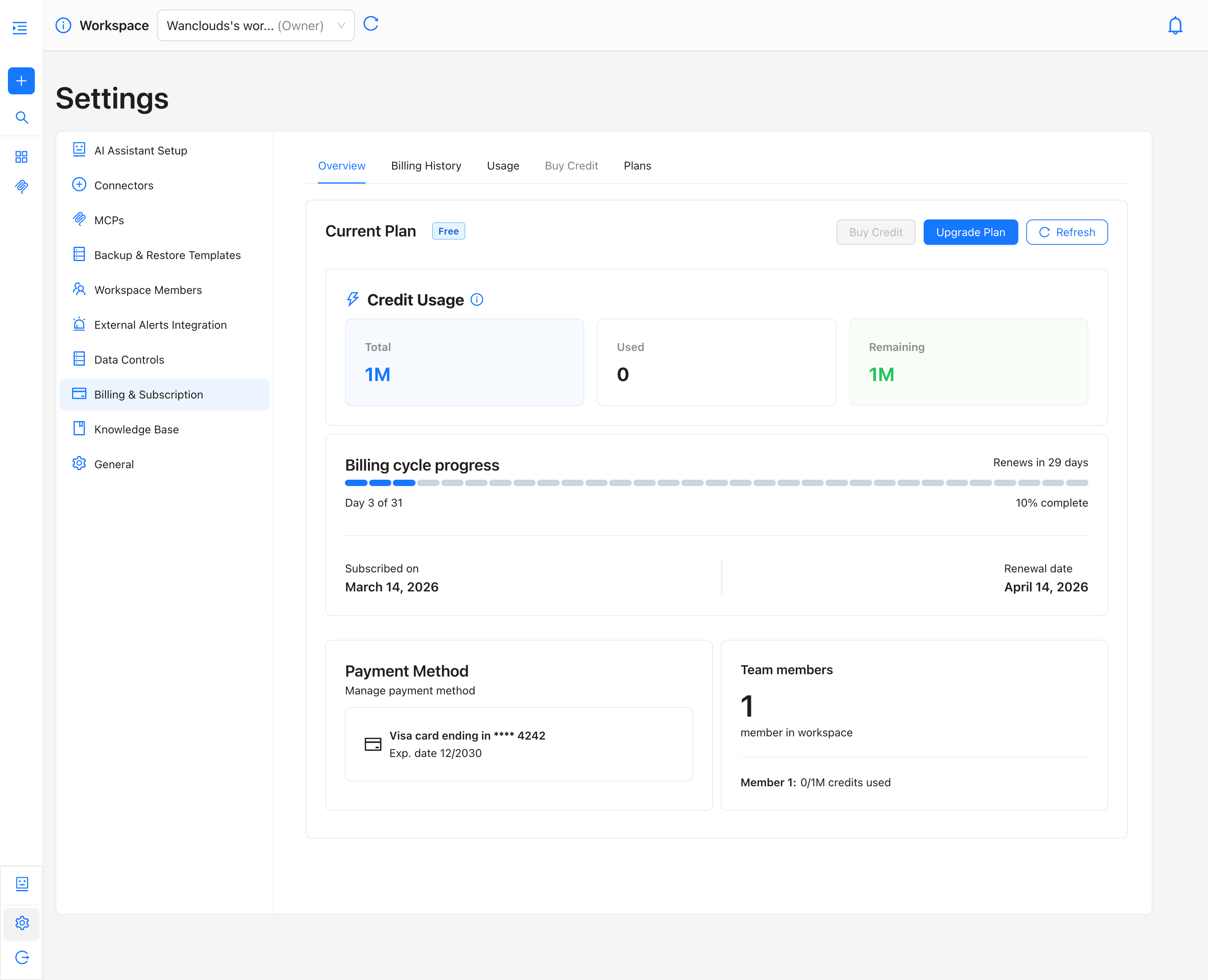
The Usage tab provides a dedicated view of credit consumption, separating it from broader subscription details for clarity.
The same three-metric summary (Total, Used, Remaining) is available here, accompanied by a Buy Credit shortcut button for immediate top-ups without leaving the tab.
Below the summary, a Usage History section will provide a detailed, per-chat breakdown of credit consumption. This feature is currently marked as Coming Soon and will be available in an upcoming release.