Using MCP Servers
Wanclouds AI lets you connect MCP (Model Context Protocol) servers in two ways — embedded into an AI Assistant, or used on their own directly in chat.
With an AI Assistant
When creating an AI Assistant, the Environment dropdown controls how MCP servers are used. You'll see two distinct paths depending on what you select:
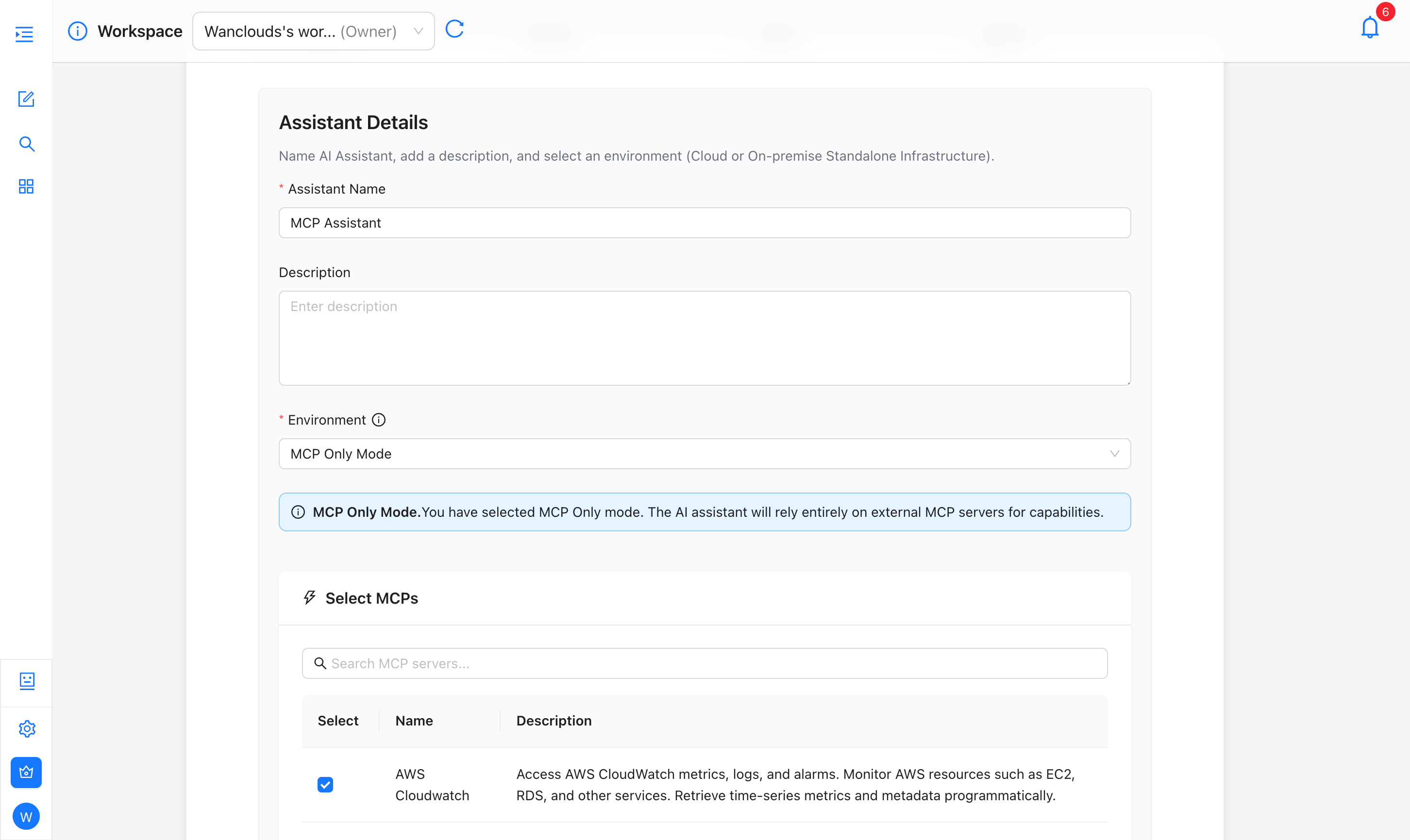
MCP Only Mode
In MCP Only Mode, the created assistant relies entirely on external MCP servers for capabilities — no cloud or on-prem connector required.
To enable this, select MCP Only Mode from the Environment dropdown in AI Assistant Setup
Once selected, a Select MCPs panel appears where you can search for and choose one or more MCP servers (e.g. AWS CloudWatch). At least one MCP must be selected to proceed.
Optional MCPs (MCP + Cloud or On-Prem Environment)
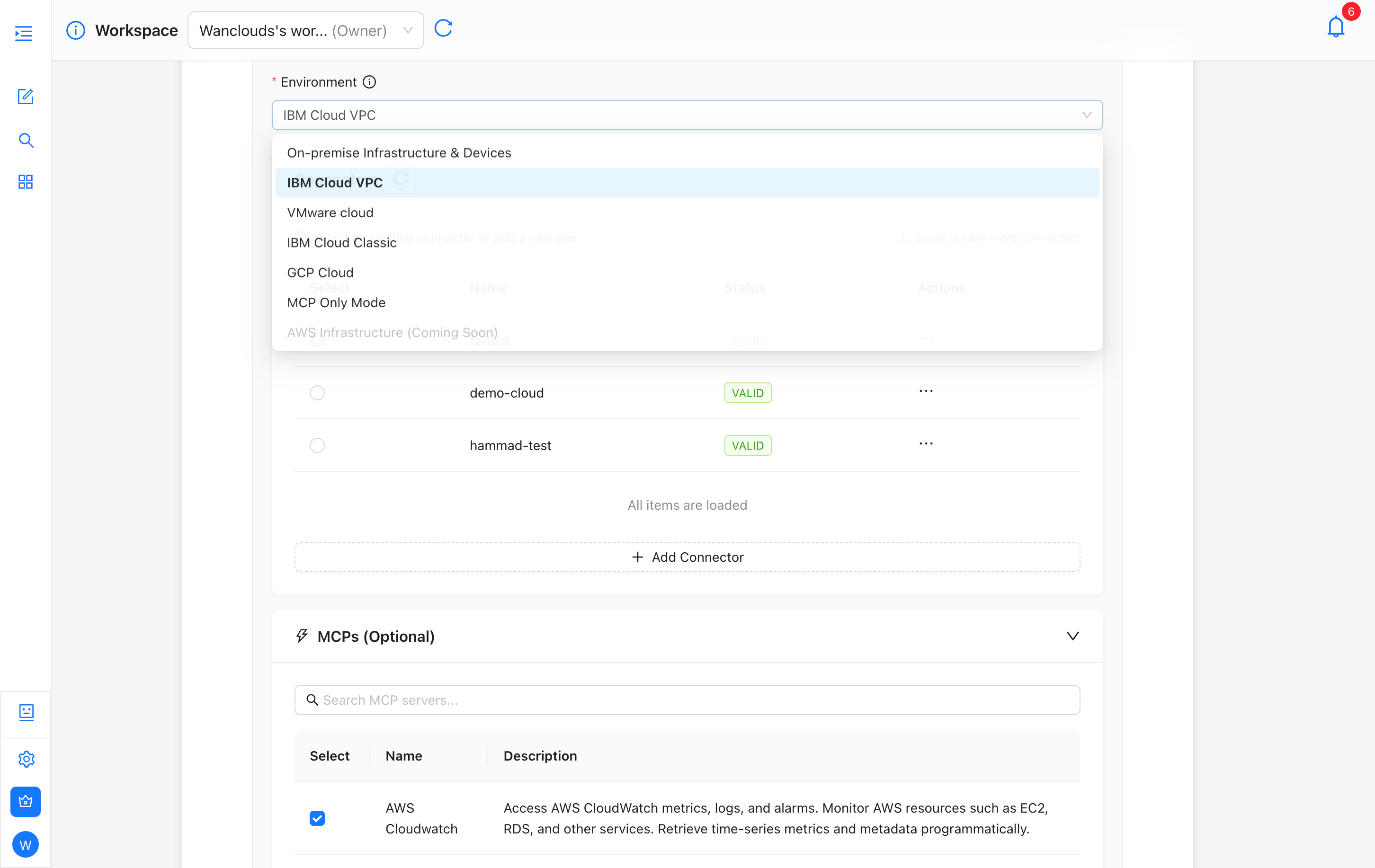
In this case, your AI Assistant can have MCPs alongside an on-prem or cloud environment for extended capabilities (e.g. monitoring, logging).
To configure this, select on-prem or any cloud option from Environment dropdown in AI Assistant Setup. In this mode, an MCPs (Optional) section appears below your environment connector list. You can expand it to search for and attach one or more MCP servers alongside your environment — this is useful for adding monitoring, logging, or observability tools like AWS CloudWatch.
Standalone in Chat
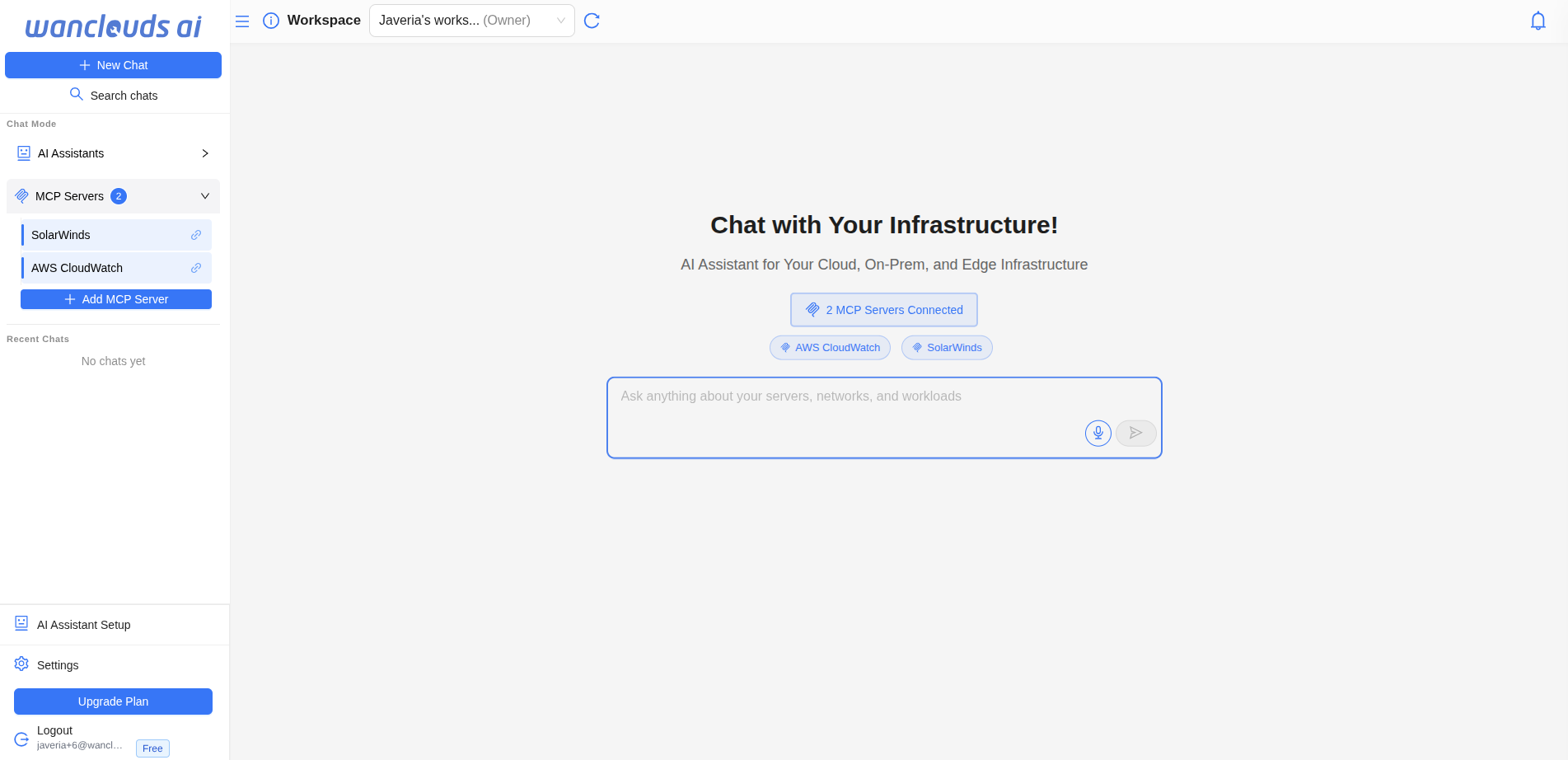
You can use MCP servers directly in chat without setting up an assistant at all.
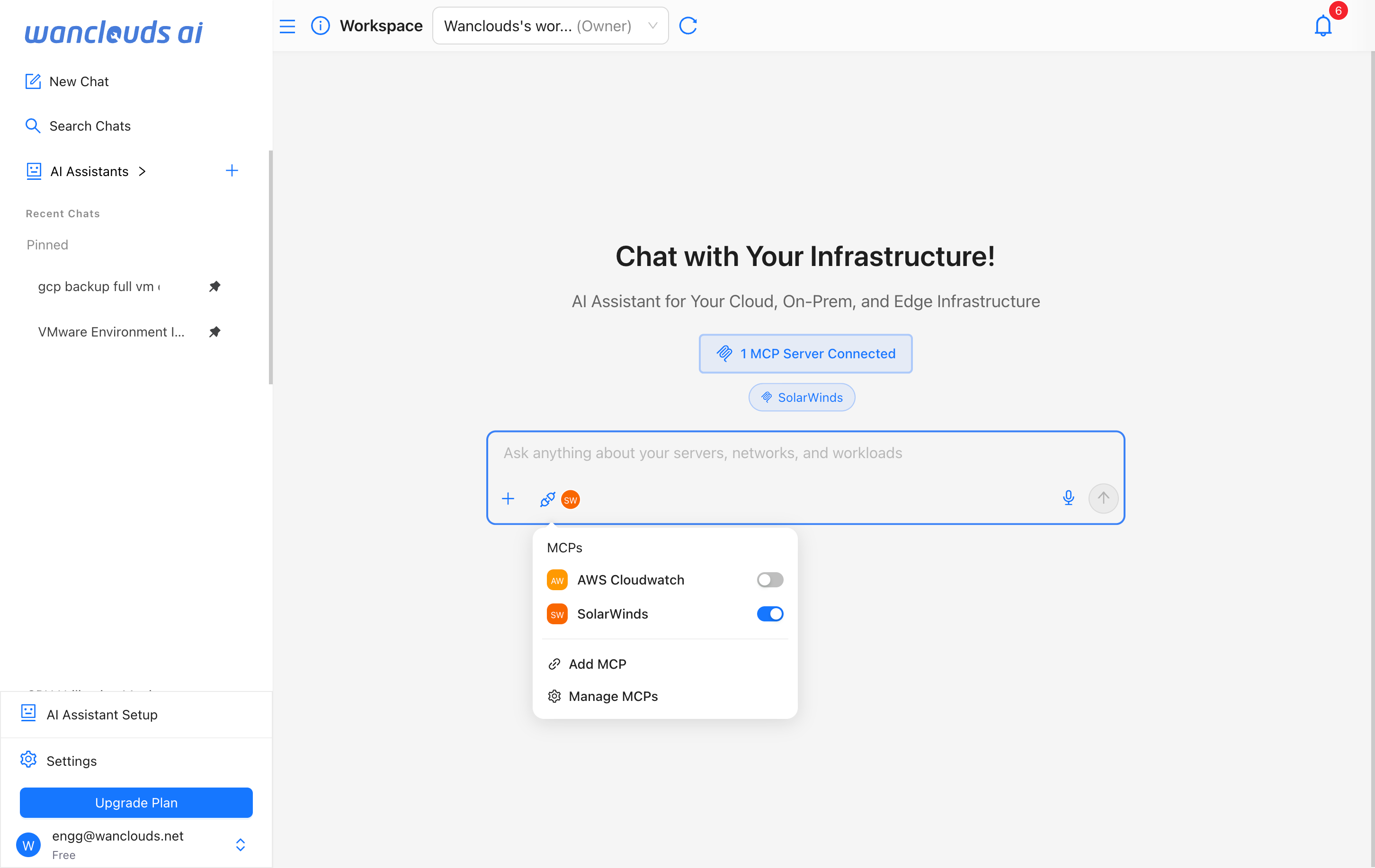
- Click on "New Chat" button in sidebar.
- Click the MCP icon (the link/chain icon) at the left side of the bottom left of chat input to open the MCP picker.
- A panel showing all MCP Servers available in your workspace will be displayed.
- Click on the toggle infront of the desired MCP to enable or disable it for the current session.
- The selected MCPs will show in the chat header as well as within chat input.
Once you've toggled your desired servers on, start chatting — the session uses only those MCP tools, with no assistant involved.
The panel also includes two quick actions at the bottom:
- Add MCP — Connect a new MCP server to your workspace.
- Manage MCPs — View and configure all your existing MCP servers.
Next steps
- Create an AI Assistant and try MCP Only Mode or attach MCPs to an existing assistant.
- Connect your environment for on-premise or cloud, then add MCPs for monitoring and logging.